


Description
Included in this kit
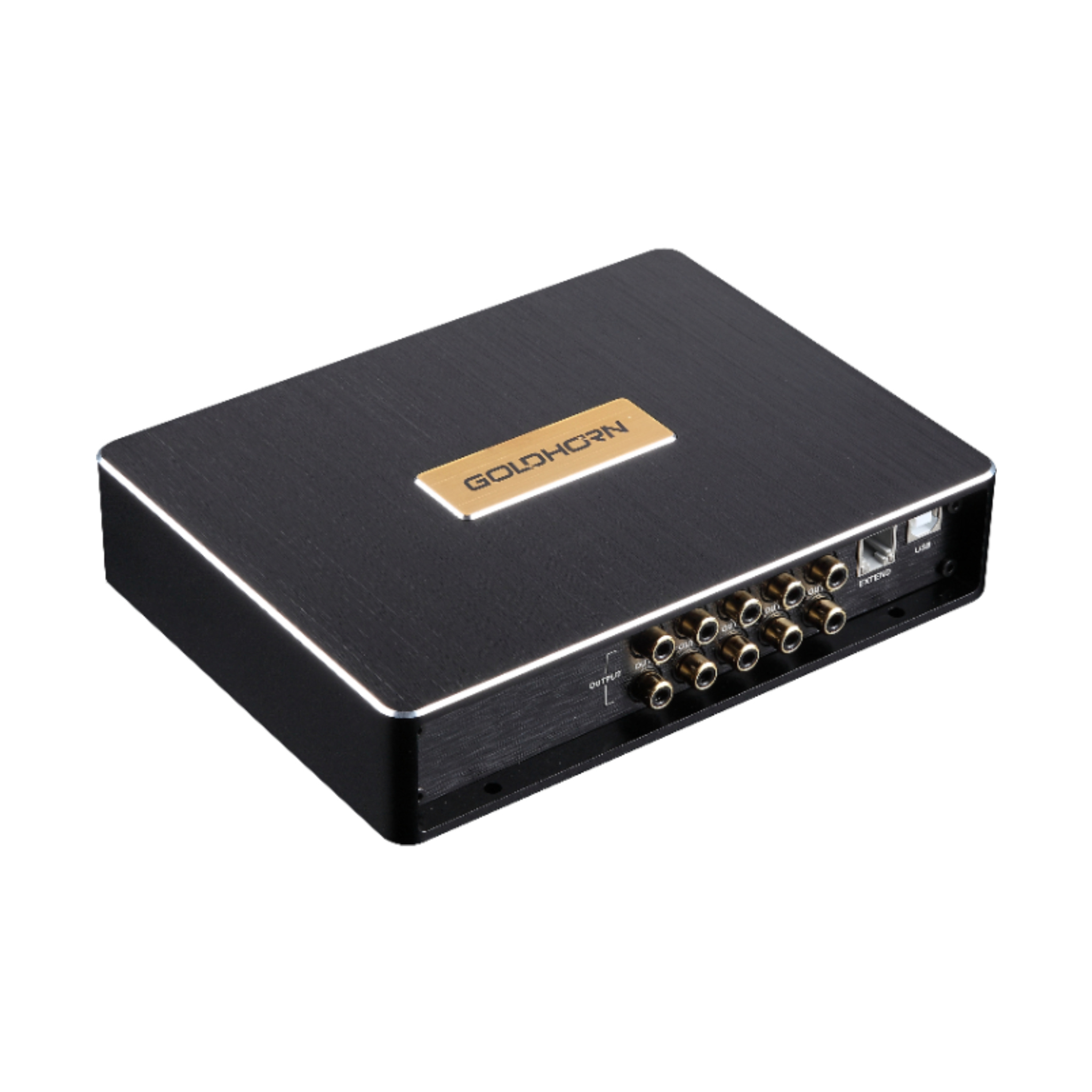
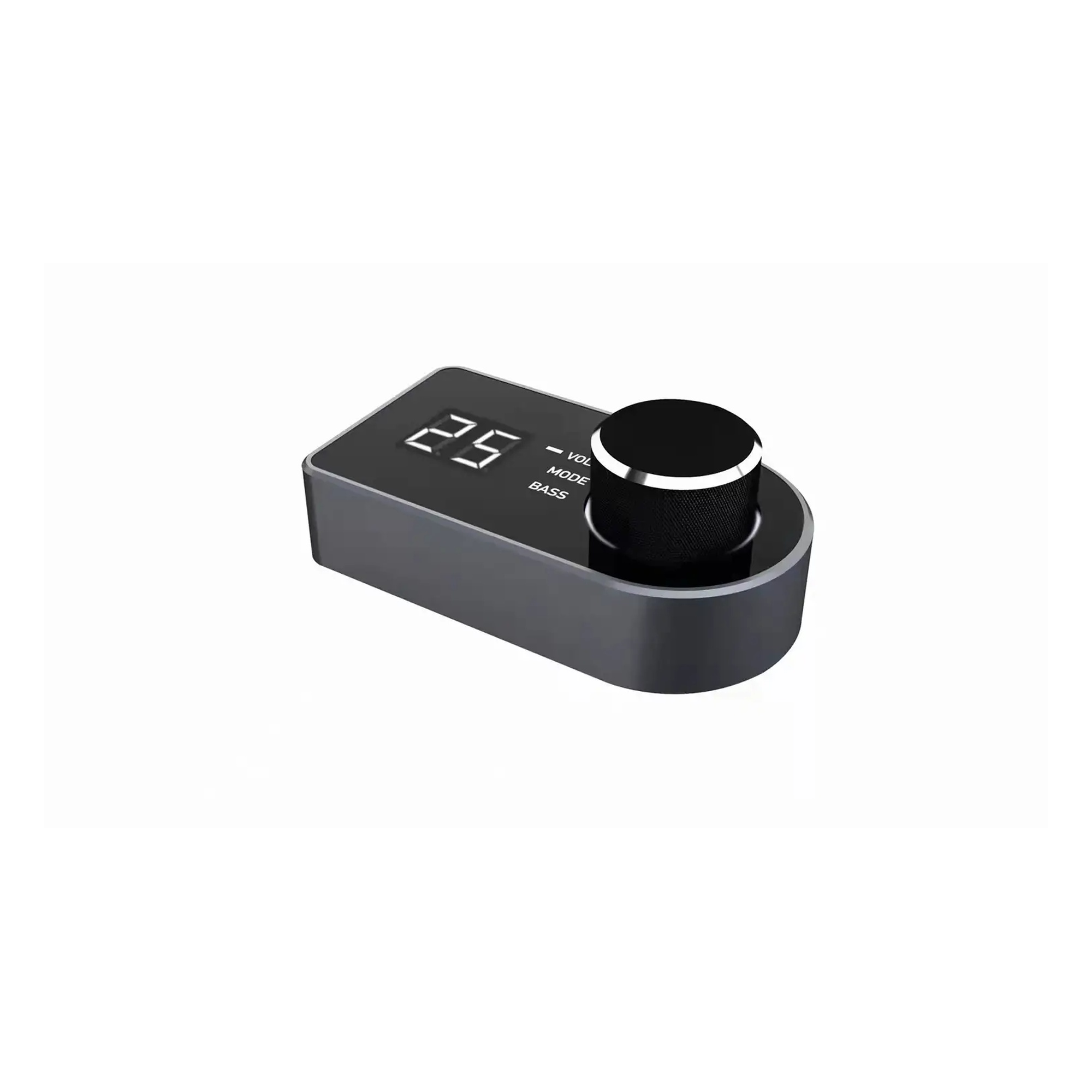
This bundle includes a Goldhorn DSP10 10-Channel Car Audio Digital Signal Processor with Bluetooth 5.0, and a GoldenHorn GD16 (DSP Remote Controller) Dsp Remote controller for Volume/Sub/Preset control. Compatible with all DSP & DSPA Products.
1x Goldhorn DSP10 10-Channel Car Audio Digital Signal Processor with Bluetooth 5.0 (DSP10)
Goldhorn DSP10 10-Channel Car Audio Digital Signal Processor with Bluetooth 5.0
The DSP10 gives a vehicle audio system ten RCA output channels with independent tuning. Eight high-level inputs and an optical input support source integration, while Bluetooth 5.0 adds wireless playback without replacing the processor’s channel-by-channel controls.
Features and system use
- Route eight high-level inputs to ten RCA outputs for a separately amplified car audio system.
- Tune each output with a 31-band equalizer, time delay, and gain control to shape the soundstage.
- Stream with Bluetooth 5.0 supporting aptX HD, aptX, AAC, and SBC audio codecs.
- Dynamic loudness control preserves low-frequency dynamics and high-frequency detail at lower levels.
- Goldhorn SKYATOM Surround support adds virtual surround processing for an immersive listening setup.
Integration
The DSP10 processes signals for downstream amplification. Independent equalization, delay, and gain let the installer tailor each channel to its role in the vehicle.
| Type | Stand-alone digital signal processor |
| High-level inputs | 8 |
| RCA outputs | 10 |
| Digital input | Optical |
| Bluetooth | 5.0; aptX HD, aptX, AAC, SBC |
| Output EQ | 31 bands |
| DSP / ADC / DAC | ADAU1452 / PCM1840 / PCM1690 |
1x GoldenHorn GD16 (DSP Remote Controller) Dsp Remote controller for Volume/Sub/Preset control. Compatible with all DSP & DSPA Products (GD16)
Goldhorn GD16 DSP Remote Controller with Rotary Volume, Bass and Preset Control
The Goldhorn DSP remote controller puts the processor’s everyday volume, bass, and saved-mode controls at a compact rotary interface. Its numeric LED display and separate VOL, MODE, and BASS indicators show the active setting as you make adjustments.
Features and system use
- Adjust total system volume from the rotary control while the LED display shows the current level.
- Press the rotary switch to select saved sound modes, then press again to confirm the selection.
- Set the volume of all bass channels together from the dedicated BASS adjustment mode.
- Separate VOL, MODE, and BASS indicators identify which function the control is adjusting.
- Mode and bass adjustment return automatically to normal volume display after five seconds of inactivity.
Integration
Connect the controller to the device’s remote terminal. The manufacturer manual states that the controller cannot be used while the device is connected to a PC or laptop.
| Product | DSP remote controller |
| Interface | Rotary switch and numeric LED display |
| Functions | Total volume; mode selection; bass-channel volume |
| Indicators | VOL / MODE / BASS |
| Connection | Remote terminal on a compatible Goldhorn device |
| Dimensions as published | 63 x 31 x 15mm |