


Description
Included in this kit
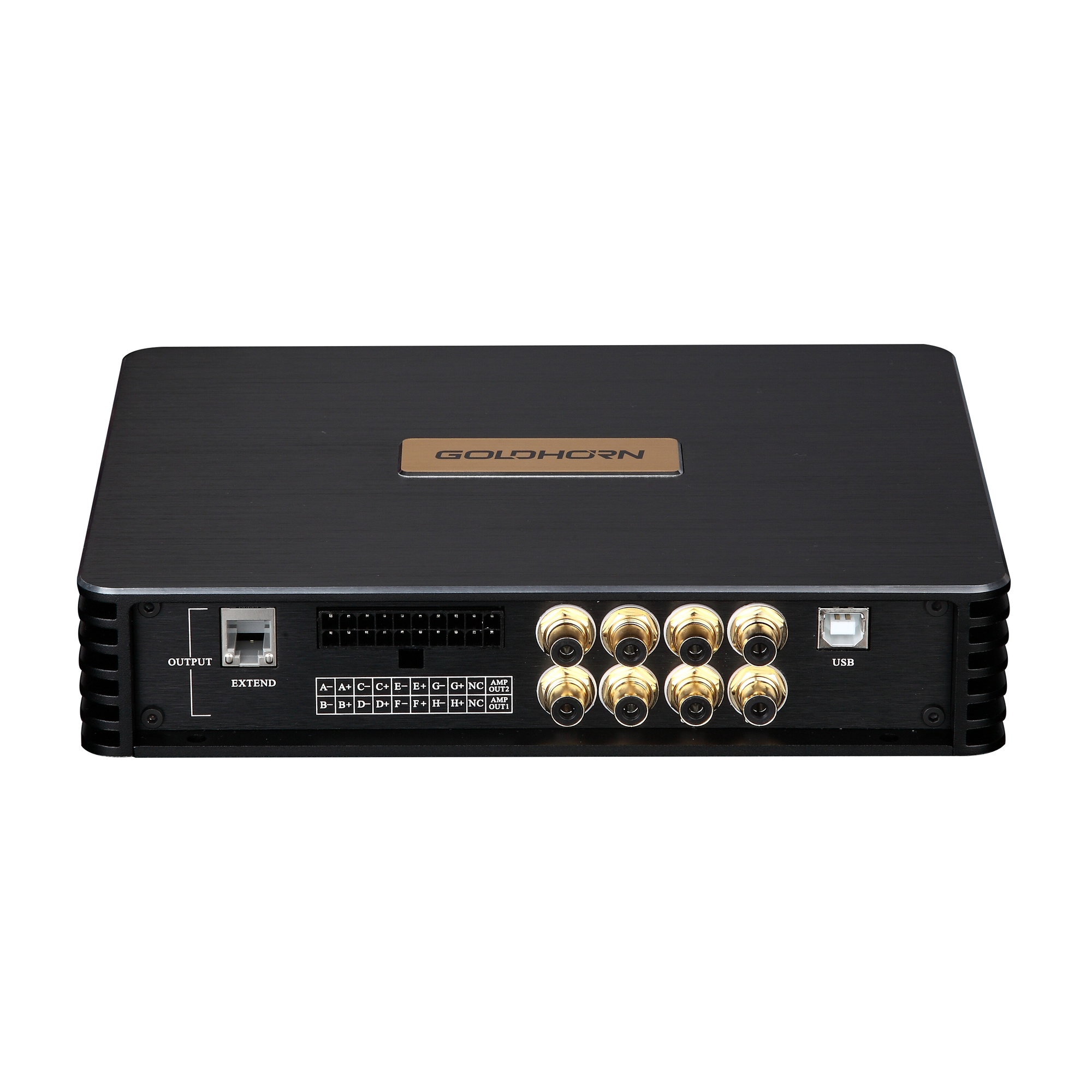
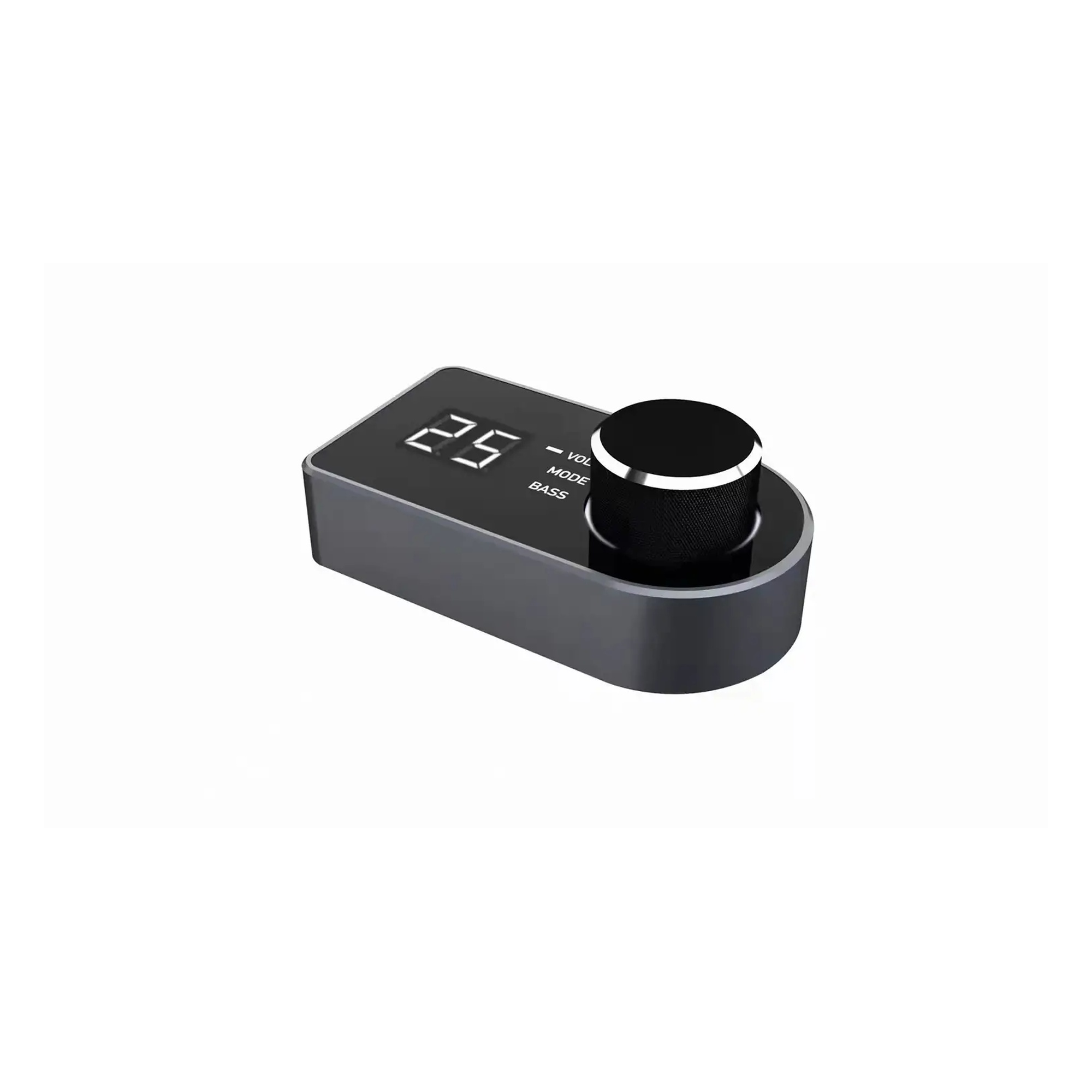
This bundle includes a Goldhorn DSPA-816-Pro 8-Channel Class D DSP Amplifier with Bluetooth and 8 RCA Outputs, and a GoldenHorn GD16 (DSP Remote Controller) Dsp Remote controller for Volume/Sub/Preset control. Compatible with all DSP & DSPA Products.
1x Goldhorn DSPA-816-Pro 8-Channel Class D DSP Amplifier with Bluetooth and 8 RCA Outputs (DSPA-816-Pro)
Goldhorn DSPA-816-Pro 8-Channel Class D DSP Amplifier with Bluetooth and 8 RCA Outputs
The DSPA 816 Pro combines eight Class D amplifier channels with eight RCA outputs for a multichannel car audio system. Its analog and digital inputs work with independent equalization and time alignment so each speaker channel can be tuned for the vehicle.
Features and system use
- Drive eight speakers with 50W RMS per channel at 4 ohms, with 80W maximum per channel.
- Eight RCA outputs allow processed signals to feed external amplifiers for system expansion.
- Optical and coaxial inputs accept PCM stereo signals up to 192kHz/24-bit.
- Adjust 31-band output EQ and time alignment up to 20ms in 0.02ms steps for channel-specific tuning.
- Bluetooth codec support includes aptX HD, aptX, AAC, and SBC, with eight sound-setup presets.
Integration
High-level and RCA inputs 7 and 8 cannot be used simultaneously. The eight amplified outputs are unbridgeable, and USB Type B connects a PC for DSP setup.
| Amplifier output | 8 x 50W RMS at 4 ohms; 8 x 80W maximum |
| Inputs | 8 high-level; 2 RCA; optical; coaxial |
| Digital input format | PCM stereo, up to 192kHz/24-bit |
| RCA outputs | 8, 5.6V |
| Output EQ | 31-band parametric |
| Time alignment | 0–20ms, 0.02ms steps |
| Operating voltage | 10–16V |
| Dimensions (L x W x H) | 217 x 170 x 43mm |
1x GoldenHorn GD16 (DSP Remote Controller) Dsp Remote controller for Volume/Sub/Preset control. Compatible with all DSP & DSPA Products (GD16)
Goldhorn GD16 DSP Remote Controller with Rotary Volume, Bass and Preset Control
The Goldhorn DSP remote controller puts the processor’s everyday volume, bass, and saved-mode controls at a compact rotary interface. Its numeric LED display and separate VOL, MODE, and BASS indicators show the active setting as you make adjustments.
Features and system use
- Adjust total system volume from the rotary control while the LED display shows the current level.
- Press the rotary switch to select saved sound modes, then press again to confirm the selection.
- Set the volume of all bass channels together from the dedicated BASS adjustment mode.
- Separate VOL, MODE, and BASS indicators identify which function the control is adjusting.
- Mode and bass adjustment return automatically to normal volume display after five seconds of inactivity.
Integration
Connect the controller to the device’s remote terminal. The manufacturer manual states that the controller cannot be used while the device is connected to a PC or laptop.
| Product | DSP remote controller |
| Interface | Rotary switch and numeric LED display |
| Functions | Total volume; mode selection; bass-channel volume |
| Indicators | VOL / MODE / BASS |
| Connection | Remote terminal on a compatible Goldhorn device |
| Dimensions as published | 63 x 31 x 15mm |