


Description
Included in this kit
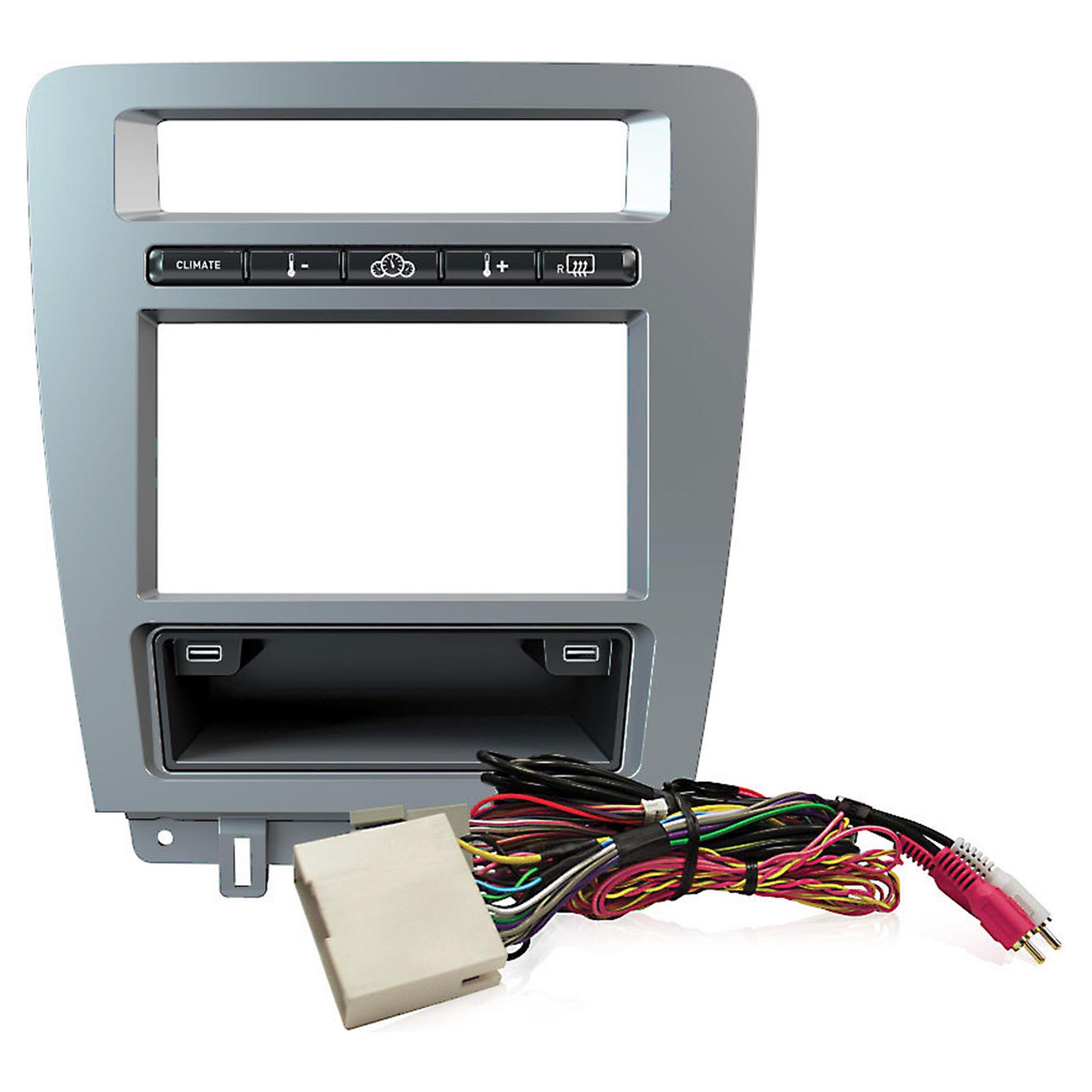
This bundle includes an iDatalink KIT-MUS1 MUS1 Dash Kit and T-harness for 2010-2014 Ford Mustangs without Navigation, and an iDatalink Maestro ADS-MRR3 RR3 Advanced Radio Replacement Interface.
1x iDatalink KIT-MUS1 MUS1 Dash Kit and T-harness for 2010-2014 Ford Mustangs without Navigation (KIT-MUS1)
Dash kit and T-harness solution for Ford Mustang 2010-2014 without navigation radio. Features factory grade fit & finish and features a quick access button bar as well a convenient storage pocket with USB ports. Includes head unit adapter ready T-harness, radio panel and steel radio brackets. Maestro RR and iDatalink-compatible aftermarket radio are required and sold separately. Head unit adapter for plug and play installation is also sold separately.
When installed with an iDatalink-compatible Kenwood radio and a Maestro RR module (sold separately), the MUS1 dash kit (ADS-KIT-MUS1) offers the ultimate Mustang audio upgrade solution:
OEM grade fit and finish
3 customizable quick access buttons
Control your car's temperature directly from your radio's touch screen
Factory LCD displays song title, radio station, caller ID and more
Easy access to your radio's USB ports
Convenient pocket for storage
THE MUS1 INSTALLATION KIT INCLUDES:
A radio panel with user-configurable button bar
Two steel radio mounting brackets
A plug & play harness specifically for use with the MUS1 kit
A storage pocket with flush-mounted USB ports
A variety of button covers to customize the button bar
1x iDatalink Maestro ADS-MRR3 RR3 Advanced Radio Replacement Interface (ADS-MRR3)
iDatalink Maestro ADS-MRR3 RR3 Advanced Radio Replacement Interface
The iDatalink Maestro ADS-MRR3 RR3 is an advanced car radio replacement interface with Bluetooth and computer-based programming. Follow its vehicle-specific firmware and installation guide to configure the module for the intended installation.
Features and installation benefits
- Program through Bluetooth with the Weblink Maestro app on a compatible iOS or Android device.
- Use the Weblink Desktop application on Mac or PC for computer-based module programming.
- The USB-C connection supplies module power during mobile programming or connects the module to a computer.
- Weblink programming provides the applicable installation guide after the module is flashed for the installation.
- Additional installation accessories may be required and sold separately; follow the exact vehicle-specific guide.
Two programming methods
For mobile flashing, connect the module to USB-C power and pair it through the Weblink Maestro app. For computer programming, install the appropriate Weblink Desktop application and connect the module by USB-C.
Prepare for the exact installation
Register a Weblink account, flash the module, and follow the installation guide provided for the application. The manufacturer recommends installation by a certified technician.
| Model | ADS-MRR3 / Maestro RR3 |
| Type | Advanced car radio replacement interface |
| Mobile programming | Bluetooth through Weblink Maestro for iOS / Android |
| Computer programming | Weblink Desktop for Mac / PC |
| Connection | USB-C |
| Configuration | Weblink account and correct firmware required |
| Finish | Gray module with colored connectors |
Installation requirements
Features and required accessories depend on the vehicle-specific installation. Limited one-year warranty requires purchase and installation through an authorized dealer; see manufacturer terms.
Estimated weight: 0.75 lb (module and included accessories; excludes packaging). Based on comparable SKUs; not a manufacturer-verified weight.