


Description
Included in this kit
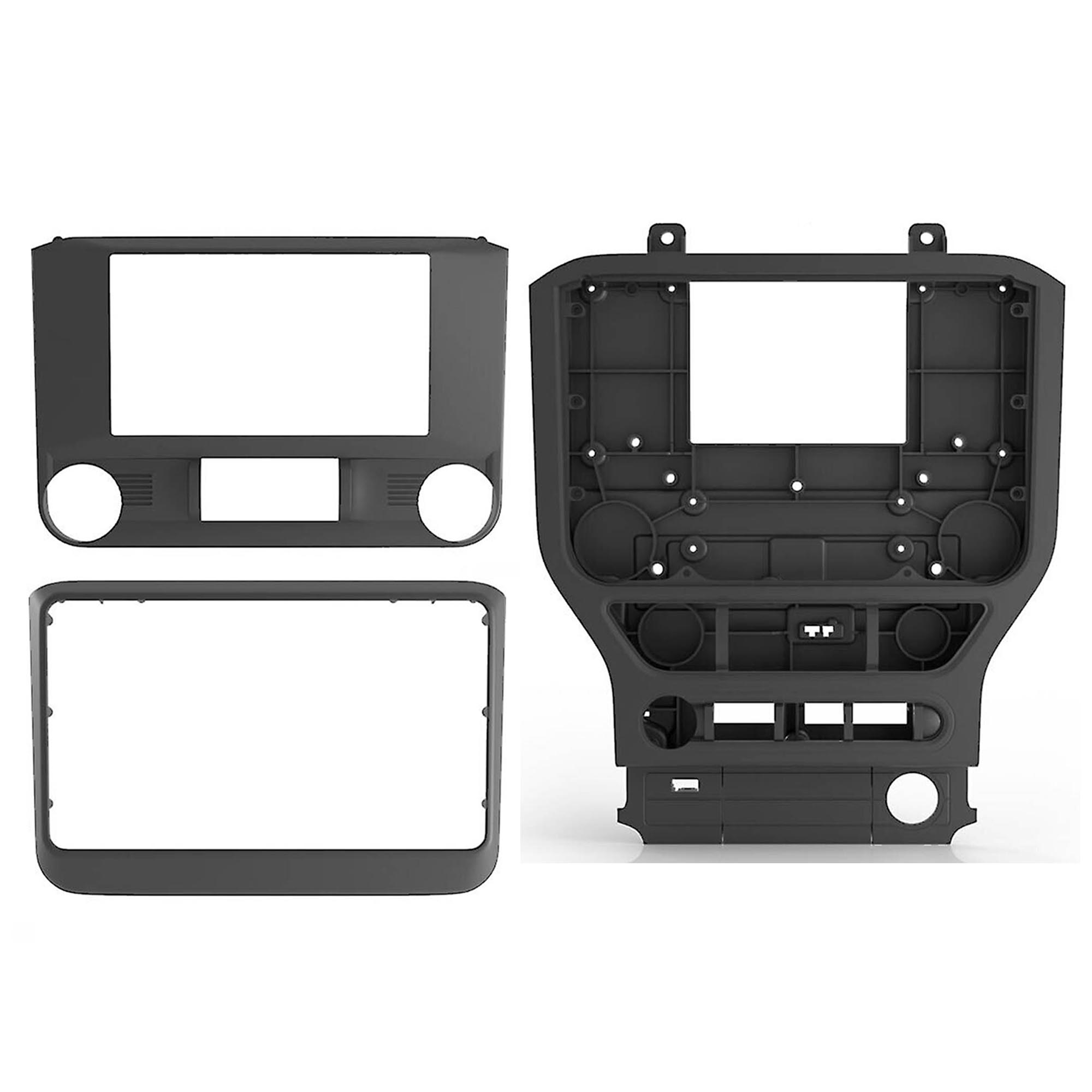
This bundle includes an iDatalink Maestro KIT-MUS2 Dash and Wiring Kit Compatible With 2015-2023 Ford Mustangs without Navigation and Select Pioneer Radios, and an iDatalink Maestro ADS-MRR3 RR3 Advanced Radio Replacement Interface.
1x iDatalink Maestro KIT-MUS2 Dash and Wiring Kit Compatible With 2015-2023 Ford Mustangs without Navigation and Select Pioneer Radios (KIT-MUS2)
Dash kit and T-harness solution for Ford Mustang 2015-2023 without navigation radio. Features factory grade fit & finish and features a quick access button bar as well a convenient storage pocket with USB ports. Includes head unit adapter ready T-harness, radio panel and steel radio brackets. Maestro RR and iDatalink-compatible aftermarket radio are required and sold separately. Head unit adapter for plug and play installation is also sold separately.
When installed with an iDatalink-compatible Kenwood radio and a Maestro RR module (sold separately), the MUS1 dash kit (ADS-KIT-MUS2) offers the ultimate Mustang audio upgrade solution:
OEM grade fit and finish
Works with Compatible 7/8/9" radios
Add gauges and vehicle info with Maestro RR (sold separately)
Easy access to your radio's USB ports
Convenient pocket for storage
THE MUS1 INSTALLATION KIT INCLUDES:
A radio panel with user-configurable button bar
Two steel radio mounting brackets
A storage pocket with flush-mounted USB ports
A variety of button covers to customize the button bar
1x iDatalink Maestro ADS-MRR3 RR3 Advanced Radio Replacement Interface (ADS-MRR3)
iDatalink Maestro ADS-MRR3 RR3 Advanced Radio Replacement Interface
The iDatalink Maestro ADS-MRR3 RR3 is an advanced car radio replacement interface with Bluetooth and computer-based programming. Follow its vehicle-specific firmware and installation guide to configure the module for the intended installation.
Features and installation benefits
- Program through Bluetooth with the Weblink Maestro app on a compatible iOS or Android device.
- Use the Weblink Desktop application on Mac or PC for computer-based module programming.
- The USB-C connection supplies module power during mobile programming or connects the module to a computer.
- Weblink programming provides the applicable installation guide after the module is flashed for the installation.
- Additional installation accessories may be required and sold separately; follow the exact vehicle-specific guide.
Two programming methods
For mobile flashing, connect the module to USB-C power and pair it through the Weblink Maestro app. For computer programming, install the appropriate Weblink Desktop application and connect the module by USB-C.
Prepare for the exact installation
Register a Weblink account, flash the module, and follow the installation guide provided for the application. The manufacturer recommends installation by a certified technician.
| Model | ADS-MRR3 / Maestro RR3 |
| Type | Advanced car radio replacement interface |
| Mobile programming | Bluetooth through Weblink Maestro for iOS / Android |
| Computer programming | Weblink Desktop for Mac / PC |
| Connection | USB-C |
| Configuration | Weblink account and correct firmware required |
| Finish | Gray module with colored connectors |
Installation requirements
Features and required accessories depend on the vehicle-specific installation. Limited one-year warranty requires purchase and installation through an authorized dealer; see manufacturer terms.
Estimated weight: 0.75 lb (module and included accessories; excludes packaging). Based on comparable SKUs; not a manufacturer-verified weight.