


Description
Included in this kit
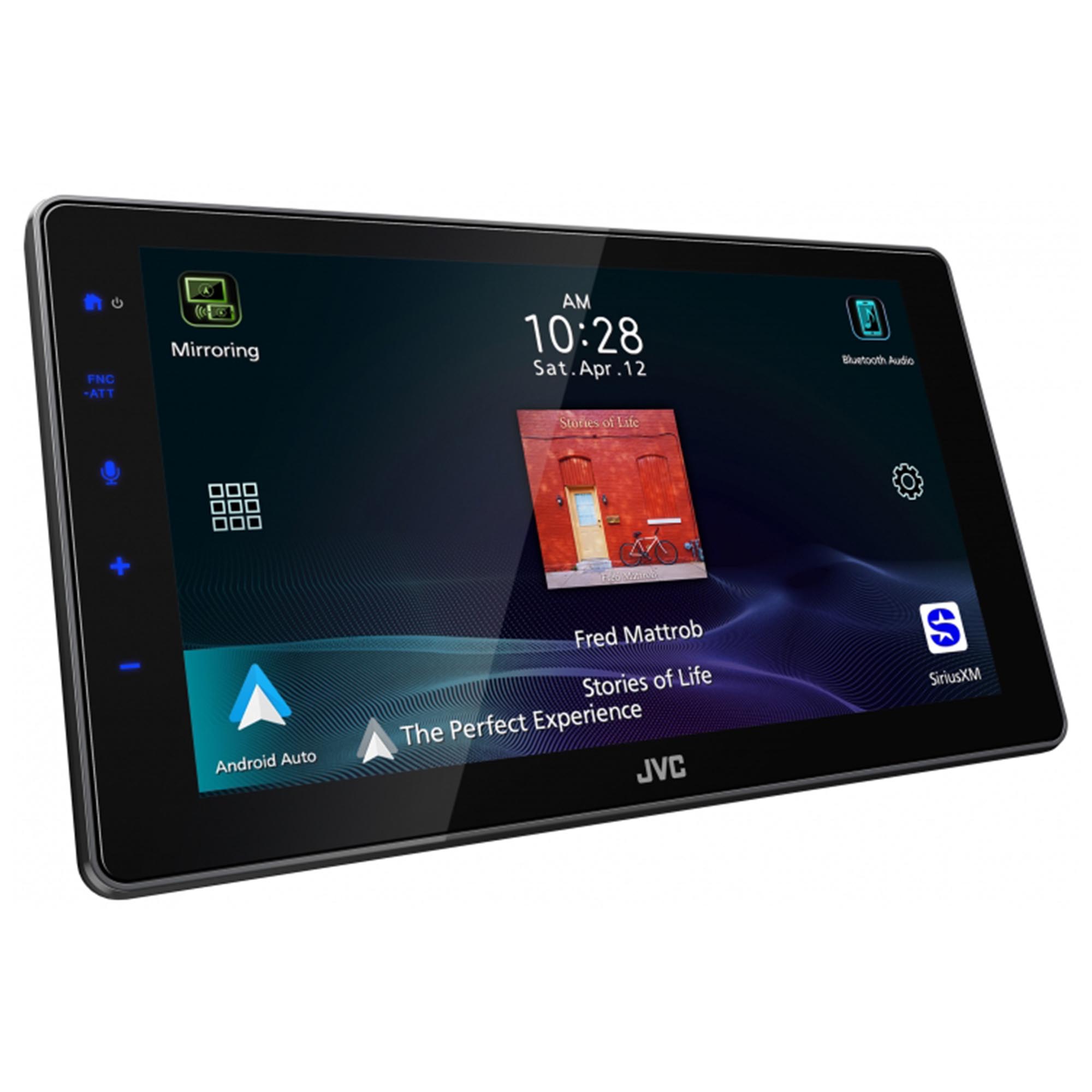
This bundle includes a JVC KW-Z900W Digital Media Receiver featuring 9" HD Floating Screen / Apple CarPlay® (Wireless, Wired) / Android Auto™ (Wireless, Wired) / HDMI Input / Mirroring (Wireless, Wired) / SiriusXM Ready / iDatalink Maestro Ready / Bluetooth®, a PYLE PLCM10 License Plate Mount Rearview Camera, and an iDatalink Maestro ADS-MRR3 RR3 Advanced Radio Replacement Interface.
1x JVC KW-Z900W Digital Media Receiver featuring 9" HD Floating Screen / Apple CarPlay® (Wireless, Wired) / Android Auto™ (Wireless, Wired) / HDMI Input / Mirroring (Wireless, Wired) / SiriusXM Ready / iDatalink Maestro Ready / Bluetooth® (KW-Z900W)
Monitor
High Definition Monitor: Yes
Screen Size: 9" HD Screen
Touch Panel: Capacitive
Touch Panel Surface: Anti Finger Print, Anti Glare
Key Illumination Color: Blue
Dimmer: Yes
Multilingual Display: Yes (English / Spanish / French)
Media Playback
MP3 Compatible with Tag: USB
WMA Compatible with Tag: USB
WAV Compatible with Tag: USB
AAC Compatible with Tag: USB
FLAC Compatible with Tag: USB
H.264 Compatible: USB
WMV Compatible: USB
MPEG 1/2 Compatible: USB
MPEG 4 Compatible: USB
MKV Compatible: USB
Bluetooth Control
Built-in Bluetooth: Yes (Version 5.3, Wired-Mic included)
Hands Free Call: Yes (HFP1.6)
2 Phones Full-Time Connection: Yes
Audio Streaming & Control (A2DP, AVRCP): Yes
Supported Audio Formats: AAC / SBC
Voice Dialing (voice recognition compatible mobile phone required): Yes
Phone Book Access Profile (PBAP): Yes
Radio Tuner
SiriusXM Ready: Yes
Radio Broadcast Data System (RBDS): Yes
Preset Stations: 20 (FM:15ch, AM:5ch)
Auto Memory Entry: Yes
FM Frequency Range: 87.9 - 107.9MHz
AM Frequency Range: 530 - 1,700kHz
Audio
Maximum Power Output (Front & Rear): 50Wx4
Full Bandwidth Power (Front & Rear): 22W x 4 (at less than 10% THD)
EQ: Yes (13-Band Graphic EQ)
Preset EQ: Yes (7Preset + 1User)
Bass Boost: Yes
High-Pass Filter/Low-Pass Filter: Yes/Yes
3-Way X'over: Yes
Time Alignment: Yes
Inputs and Outputs
AV Input: mini jack (AV-IN or Camera-IN switchable) x 1
Video Out: RCA x1
HDMI Terminal: Yes
HD Camera Input: Yes (Only for Rear Camera In)
Rear view camera Input: Yes
Line Output Terminals: 3 Pairs (Front + Rear + Subwoofer)
Pre-output Level/Impedance: 3V
Subwoofer Output with Level/Frequency Control: Yes
General
iDatalink Maestro Ready: Yes (RR, RR2)
Wireless Remote Control: Optional (RM-RK259)
Steering Remote Control Ready: Yes
Dimensions (W x H x D)
Chassis: 7" x 1-15/16" x 4-3/4" (178 x 50 x 120 mm)
Monitor: 9-7/16" x 5-1/2" x 1-1/4" (240 x 140 x 31 mm)
Weight
Chassis: 2.1 lbs (0.94kg)
Monitor: 1.5lbs (0.66kg)
1x PYLE PLCM10 License Plate Mount Rearview Camera (PLCM10)
Output Standard: PAL/NTSC - Video Output: RCA 1.0 VppComposite Video @ 75 Ohm High Resolution: 380TV Lines x 60 Fields - Power Supply: DC 12 V > 75 Ohm Image Sensor: Ov 7910 Color CMOS - Temperature: -10-50˚ Celcius Lens: 6mm 92˚ - Unit Dimensions: 1.3''(H) x 8''(W) x 1.26''(D) Low Light Illumination: 1.5 Lux/F1.2 Output Standard: PAL/NTSC High Resolution: 380TV Lines x 60 Fields
1x iDatalink Maestro ADS-MRR3 RR3 Advanced Radio Replacement Interface (ADS-MRR3)
iDatalink Maestro ADS-MRR3 RR3 Advanced Radio Replacement Interface
The iDatalink Maestro ADS-MRR3 RR3 is an advanced car radio replacement interface with Bluetooth and computer-based programming. Follow its vehicle-specific firmware and installation guide to configure the module for the intended installation.
Features and installation benefits
- Program through Bluetooth with the Weblink Maestro app on a compatible iOS or Android device.
- Use the Weblink Desktop application on Mac or PC for computer-based module programming.
- The USB-C connection supplies module power during mobile programming or connects the module to a computer.
- Weblink programming provides the applicable installation guide after the module is flashed for the installation.
- Additional installation accessories may be required and sold separately; follow the exact vehicle-specific guide.
Two programming methods
For mobile flashing, connect the module to USB-C power and pair it through the Weblink Maestro app. For computer programming, install the appropriate Weblink Desktop application and connect the module by USB-C.
Prepare for the exact installation
Register a Weblink account, flash the module, and follow the installation guide provided for the application. The manufacturer recommends installation by a certified technician.
| Model | ADS-MRR3 / Maestro RR3 |
| Type | Advanced car radio replacement interface |
| Mobile programming | Bluetooth through Weblink Maestro for iOS / Android |
| Computer programming | Weblink Desktop for Mac / PC |
| Connection | USB-C |
| Configuration | Weblink account and correct firmware required |
| Finish | Gray module with colored connectors |
Installation requirements
Features and required accessories depend on the vehicle-specific installation. Limited one-year warranty requires purchase and installation through an authorized dealer; see manufacturer terms.
Estimated weight: 0.75 lb (module and included accessories; excludes packaging). Based on comparable SKUs; not a manufacturer-verified weight.